Static hosting with a subdomain
The fastest way to put your vibe-coded app live. Text the link to friends — then watch traffic and iterate in chat.
 vibepage
Documentation
Four commands. Register on the website, save your token, deploy from your project folder.
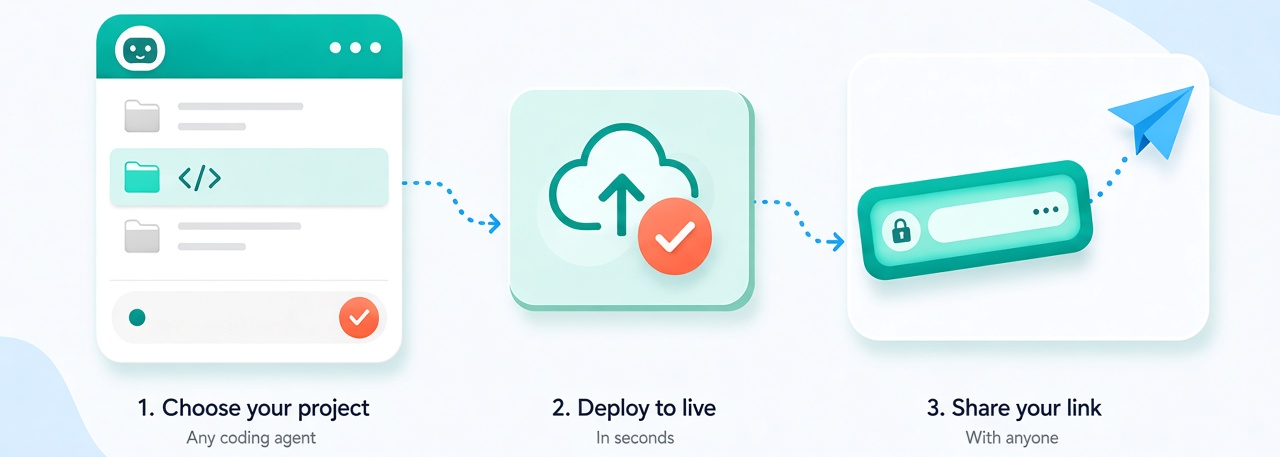
Live link first. Tunnel when you’re still editing. Deploy to share with friends, or tunnel your laptop on the same URL while you tweak.
The fastest way to put your vibe-coded app live. Text the link to friends — then watch traffic and iterate in chat.
Keep the same public URL, but tunnel it to your laptop. Demo a work-in-progress live — when you stop, traffic falls back to your last static deploy.
Install the vibepage CLI once per machine:
Copy the token from your account page, activate vibepage from your terminal.
deploy, tunnel commands.
Run from your project folder. vibepage detects the static publish directory
(dist/, build/, or project root), uploads it, and prints the live URL.
Uses your default subdomain from registration — no name to pick.
index.html .Forwards your public subdomain to a local server while the command is running. When you stop it (Ctrl+C), traffic falls back to the last static deploy.
localhost:3000.vibepage tunnel --target localhost:5173 .Shows the linked project name, URL, deploy status, and whether a tunnel is online.
Prints the same four-command usage summary in the terminal.